
How to Manage AEC Project Documents: 6 Best Practices
Organization in folders, versioning, traceability, approval, etc. Discover all the best practices for managing AEC project documents
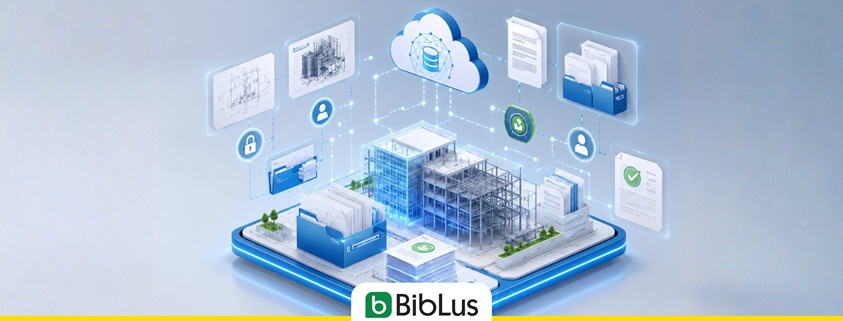
If you’re reading this article, chances are your office is struggling to keep up with an ever-growing volume of project documentation. In the AEC industry, every project generates hundreds—or even thousands—of documents, including drawings, calculations, specifications, reports, contracts, and correspondence. While these documents should be easy to organize, store, and retrieve when needed, the reality is often quite different. Valuable time is frequently lost searching for information, managing revisions, or ensuring that team members are working with the latest version of a document.
This is where effective document management becomes essential. Document management for AEC projects encompasses the processes, tools, and procedures used to organize, classify, review, approve, share, and retain all project-related documentation throughout its lifecycle.
When supported by dedicated engineering document management software, these processes become significantly more efficient. Teams can maintain data accuracy and integrity, streamline collaboration, improve traceability, and increase overall productivity while reducing the risk of errors and miscommunication.
In this article, we’ll explore six best practices for managing AEC project documents and show how you can implement them to create a more organized, efficient, and collaborative working environment.
Contents
- Manage technical documents throughout the project lifecycle
- The best practices for controlling technical documentation
- What are the 6 best practices for document management in the engineering sector?
- Why apply engineering document management to your work?
- How a document management system supports technical teams and cloud work
- Why is CAD integration important in technical document workflows?
- Choosing the right solution for document control in the AEC field
- FAQ about AEC document management
Manage technical documents throughout the project lifecycle
Technical document management accompanies every phase of the AEC project, from preliminary design to the maintenance of the completed work.
CAD drawings, cost estimates, site minutes, technical data sheets, progress reports, certifications, and “as built” documentation must be organized systematically and consistently to ensure operational continuity, information control, and collaboration among all stakeholders.
An engineering document management system enables you to centralize all project information within a shared digital environment, reducing the risk of data loss, improving data accessibility, and enhancing overall project quality.
In BIM contexts, this logic is also connected to the concept of CDE, Common Data Environment, which is a data sharing environment where information, documents, models, and revisions can be managed according to common rules.
Adopting an effective data management strategy in construction helps technical offices, companies, and professionals control large amounts of design information, preventing documents, revisions, and data from becoming scattered across different tools, folders, and communication channels.
Throughout the lifecycle of the project, each document goes through several stages:
- creation and review;
- approval and sharing;
- archiving and retention;
- updating and consultation;
- possible deletion according to company policies.
In many technical document workflows, it is helpful to associate a clear document status with each file, such as: draft, under review, approved, published, outdated, or archived.
Digitizing processes thus allows for governing the entire lifecycle of the document, from initial production to final retention.
Organize drawings, revisions, and technical files in a single workflow
One of the most frequent problems in AEC projects is the fragmentation of files among local folders, emails, external hard drives, and different platforms. This situation leads to errors, operational slowdowns, and difficulties in coordination among designers, companies, and project management.
For this reason, it is essential to organize technical drawings, revisions, and project documents within a single digital workflow. A centralized system allows you to:
- automatically manage file versioning;
- control user access and permissions;
- track changes, comments, and approvals;
- quickly share updated documents with the team;
- reduce the risk of using outdated files.
The presence of standardized workflows also improves interdisciplinary coordination among architects, engineers, contractors, and external consultants.
In particular, integration with BIM processes makes document management even more efficient, thanks to the connection between informational models and technical documentation. Not surprisingly, one of the main advantages of BIM for civil engineers is the ability to work in collaborative environments where data, revisions, and documents are always synchronized and easily accessible.

Management of engineering documentation
The best practices for controlling technical documentation
Controlling technical documentation ensures quality, regulatory compliance, and operational continuity in engineering, architecture, and construction projects. Inefficient document management can lead to delays, design errors, disputes, and additional costs.
To improve document control, it is useful to adopt standardized procedures that allow monitoring of file status, responsibilities, and the approval flow.
In this context, traceability is not only about saving files, but also the ability to know who created, modified, approved, or shared a document and at what time. This audit trail is particularly useful when it is necessary to reconstruct the history of design decisions.
Another important aspect concerns the management of the final phases of the project. During work completion and site closure, it is indeed necessary to collect, verify, and archive all final documentation: certifications, “as-built” drawings, minutes, tests, and technical manuals. Having an organized document management system facilitates these activities and reduces the risk of information loss.
What are the 6 best practices for document management in the engineering sector?
When documents are stored and managed on paper or through unstructured folders, searching for and organizing information can be time-consuming, negatively affecting team productivity. Transitioning to a digital engineering document management system can therefore increase a company’s productivity and efficiency.
In the AEC sector, proper document management is crucial throughout the asset’s life cycle, as it contributes to improved information control, data security, and the protection of intellectual property or personal information.
To avoid costly document management errors, I recommend following these 6 best practices:
- Name files and folders in an orderly and consistent manner:
Although underestimated, this aspect is crucial to ensure efficient cooperation. It is therefore useful to establish a model from the beginning that guides team members on how they should structure document names. This provides uniformity and consistency throughout the organization and makes collaborative document management easier. An effective naming convention should include essential information such as project code, discipline, document type, sequential number, revision, and file status. For example, a structured naming allows for quick differentiation between an architectural drawing, a bill of quantities, or a technical report. - Reduce confusion in versions:
Another particularly useful tip for document management in the AEC sector is to work, when possible, on a single shared file. Changes, even made simultaneously by multiple operators, are saved in a new version of the document without the need for integrations and new uploads. - Make documents and signatures traceable:
It is important to monitor documents and manage the stage of the life cycle they are in, identifying whether they are active, under review, approved, archived, or ready for deletion according to company policies. Documentation should be kept up to date, especially because it is often associated with a certain degree of responsibility of different team members. Keeping documentation updated in the cloud and integrating digital signature systems speeds up approvals, increases traceability, and reduces document management costs. - Set up approval workflows:
To establish good document management, it will be necessary to streamline the process of creating, updating, and archiving documents. It would be useful to set up a sort of approval workflow that not only requests the relevant personnel to review and sign a document but also shows whether and when it was done, identifying any bottlenecks. This approach allows for a faster and controlled approval process, reducing waiting times, manual steps, and untracked email exchanges. - Allow mobile access:
We know well that mobile devices are truly multitasking now and are no longer limited to the typical functions of a phone, allowing us to resolve many issues even when we are not in the office. So why not make document management accessible from mobile devices as well? This allows professionals to not have to wait until they return to the office or access a PC to consult, approve, or update documents. Mobile access therefore saves time in approval processes and reduces versioning issues. - Storage:
For legal reasons, many companies need to archive and retain documents for specific, often lengthy periods. Some are even unable to delete documents, or some of them, and thus often find themselves forced to identify and dedicate appropriate spaces that serve as a physical archive. Working in the cloud on documents completely revolutionizes the way technical documentation is managed. It is possible to archive all necessary documents and preserve them for the time required by company policies or regulatory obligations, with the advantage of making them easily retrievable and accessible to authorized users from any location.

Best practices for document management
Why apply engineering document management to your work?
We have seen what the useful best practices are. Now you might be wondering why to apply an engineering document management process to your work.
The advantages do not only concern file storage but the entire operational control of technical documentation. An engineering document management system indeed allows for:
- secure, organized, and cloud-based storage of all documents;
- accessibility and availability of documents from any device and from anywhere;
- management of versioning of various project files;
- greater control over revisions, approvals, and responsibilities;
- reduction of the risk of using obsolete or unapproved documents;
- better collaboration among designers, contractors, project management, and clients.
To achieve these advantages, I recommend using software for engineering document management capable of managing the documentation part of engineering, architecture, and construction projects. Through this software, you will be able to correctly store and organize all your project documentation completely in the cloud, ensuring time savings and thus cost savings.
It is important to distinguish a simple cloud archive from a technical document management system: the former stores and shares files, while the latter also governs versions, revisions, approval workflows, permissions, signatures, document statuses, and activity traceability.
How a document management system supports technical teams and cloud work
In modern AEC projects, work teams often operate between technical offices, construction sites, external offices, and professional studios. For this reason, it is not enough to store files in shared folders: it is necessary to have a system that clearly assigns roles, permissions, and document responsibilities.
A document management system allows designers, contractors, project managers, consultants, and clients to access only the documents relevant to their role, verify the status of activities, and consult updated information based on their role.
The cloud makes this process more flexible, as it allows work even from different locations or directly from the construction site. Automatic backups, synchronization, permission management, and access from mobile devices help maintain operational continuity and data security.
These tools are particularly useful for coordinating figures such as the Construction Project Manager, who must monitor activities, approvals, revisions, and progress of project documentation.

Document management cloud
Why is CAD integration important in technical document workflows?
In engineering and architecture projects, CAD files represent a fundamental component of technical documentation. Project drawings, construction details, and three-dimensional models must be constantly updated and coordinated with the rest of the project documents.
Integrating document management with CAD software significantly improves operational efficiency and revision control. Each modification made to the documents can indeed be tracked automatically, thus reducing the risk of errors and inconsistencies among the various files.
CAD integration also allows for:
- directly linking drawings and related documents;
- automating the versioning of documents;
- accelerating the sharing of technical files;
- improving coordination between design and construction;
- reducing duplications and data loss.
Thanks to integrated document workflows, teams can more easily connect graphic documents, related files, and technical revisions, avoiding inconsistencies among drawings, reports, and other project files.
Choosing the right solution for document control in the AEC field
The choice of engineering document management software directly affects the organization, productivity, and collaboration in AEC projects. Each company has different needs, but there are certain features that an effective platform should always guarantee.
Some of the most important aspects to evaluate include:
- secure and scalable cloud storage;
- advanced management of revisions and versioning;
- customizable approval workflows;
- integration with CAD and BIM software;
- accessibility from mobile devices;
- access control and activity tracking;
- user-friendliness and speed of implementation.
The most suitable solution is not necessarily the one with the most features but the one that integrates best with the organization’s processes, with the software already in use, and with the level of complexity of the projects managed.
Investing in a modern document management system for AEC projects means optimizing internal processes, improving operational control, and ensuring a more efficient and secure management of technical documentation for the entire lifecycle of the project.
FAQ about AEC document management
What is AEC document management?
AEC document management is the set of processes and tools used to organize, archive, revise, approve, share, and preserve the technical documents produced in architecture, engineering, and construction projects.
Which documents should be managed in an AEC project?
In an AEC project, it is necessary to manage CAD drawings, BIM models, metric calculations, technical reports, authorization papers, site minutes, technical data sheets, certifications, “as built” documents, tests, and maintenance manuals.
How to avoid versioning errors in technical documents?
To avoid versioning errors, it is useful to work on a centralized document system, define clear rules for revisions and file statuses, track changes, and ensure that each user always accesses the updated and approved version of the document.
What is the difference between cloud storage and AEC document management?
Cloud storage mainly allows for the storage and sharing of files. An AEC document management system, on the other hand, allows for managing versions, revisions, approval workflows, signatures, permissions, document statuses, and activity tracking.
Why is document management important in BIM processes?
In BIM processes, document management is important because it allows for linking informational models, technical documents, data, and revisions within a controlled document flow. This improves collaboration among designers, contractors, project management, and clients.
What role does the CDE play in AEC document management?
The CDE, Common Data Environment, is a shared digital environment where project information is collected, managed, and distributed. In AEC projects, it allows for centralizing documents, models, revisions, and communications, improving control and tracking of information.


